To password protect a specific folder on your website:
Steps:
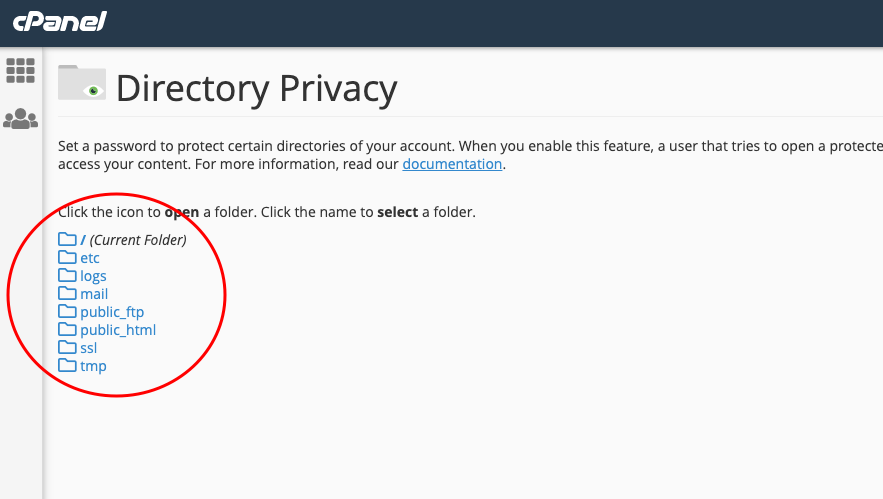
1. From your website control panel, select "Folder Protection"
2. A list of your website folders will appear
3. Click on the name of the folder you want to protect
4. Check the box next to the lock icon
5. Write the folder name in English
6. Add username and password
7. Click the add new user button
You can add more than one user to the protected folder.